Data Transfer
The HPC platform support SSH File Transfer protocol (SFTP) for data transfer between user client and the platform.
SFTP is a network protocol that provides secure file access, file transfer and file management functionality.
SFTP Client (FileZilla)
Section titled “SFTP Client (FileZilla)”FileZilla Client is a fast and reliable cross-platform SFTP client with lots of useful features and an intuitive graphical user interface.
Example for using FileZilla client:
- Download
FileZillafrom http://filezilla-project.org/download.php). - Run
FileZilla - Input Host:
hpclogin1.eduhk.hkUsername:<EdUHK-Account-ID>Password:<EdUHK-Account-Password>port:22
- Click
Quickconnectto start connection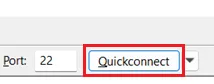
- To upload a file, drag the file from the the left side window to the right side window.
- To download a file, drag the file from the right side window to the left side window.
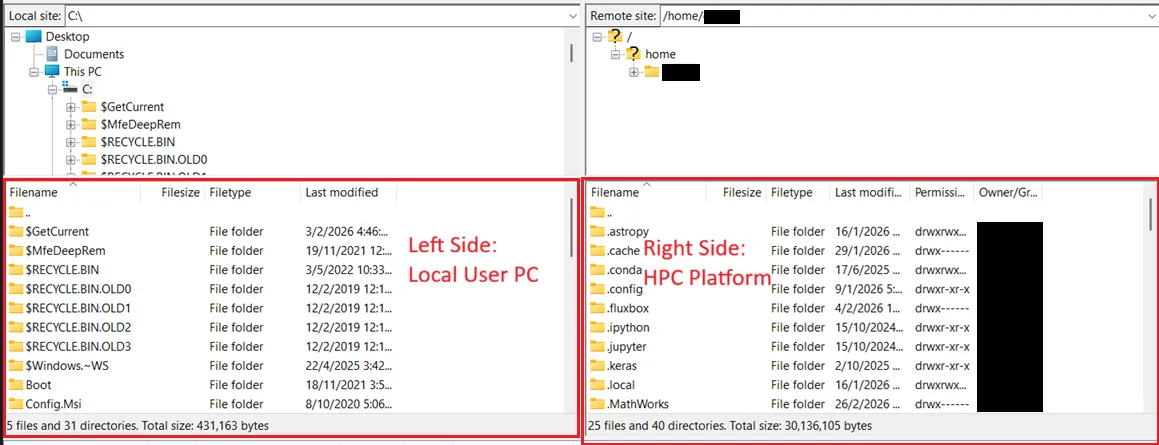
For more information about FileZilla, please refer to FileZilla Official Site
Rsync (Remote Sync) is a powerful, open-source command-line utility for Linux, macOS, and Windows that efficiently synchronizes files and directories between local or remote systems.
# Rsync data from source folder to destination folder$ rsync -av <Source_Folder> <EdUHK-Account-ID>@hpclogin1.eduhk.hk:<Destination_Folder_Path>
# Example: Upload a folder `local-data` from a local device to the `hpc-data` folder under user1’s home folder in HPC Platform$ rsync -av ~/local-data user1@hpclogin1.eduhk.hk:/home/user1/hpc-data
SCP (Secure Copy Protocol)
Section titled “SCP (Secure Copy Protocol)”SCP (Secure Copy Protocol) is a simple and secure way to transfer files between computers over SSH.
# Copy file from local PC to HPC server storage$ scp <Local File Path> <EdUHK-Account-ID>@hpclogin1.eduhk.hk:<HPC Server File Path>
# Copy folder from local PC to HPC server storage$ scp -r <Local Folder Path> <EdUHK-Account-ID>@hpclogin1.eduhk.hk:<HPC Server Folder Path>
# Copy file from local PC to HPC server storage$ scp <EdUHK-Account-ID>@hpclogin1.eduhk.hk:<HPC Server File Path> <Local File Path>
# Copy folder from local PC to HPC server storage$ scp -r <EdUHK-Account-ID>@hpclogin1.eduhk.hk:<HPC Server Folder Path> <Local Folder Path>