R
R is a powerful, open-source programming language and software environment created for statistical analysis, data manipulation, graphics, and reproducible research.
How to Customize Standard R Environment?
Section titled “How to Customize Standard R Environment?”Currently the standard R environment allow users to install extra packages by CRAN repository
To create custom environment, run below command in the SSH terminal (CLI), for tutorial in accessing CLI, please refer to Shell Access and Useful Command
# Load R Environment Module$ module load R/4.3
# Start R CLI$ R
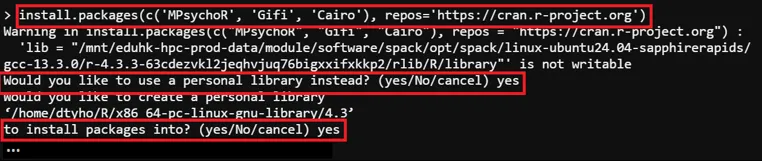
# Install Package -> Path:/home/$USER/R> install.packages(c('<packages to install>'), repos='<repository_url>')
# Install Package (Example)> install.packages(c('MPsychoR', 'Gifi', 'Cairo'), repos='https://cran.r-project.org')
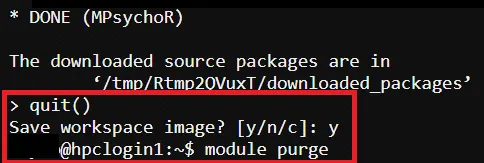
# Exit R CLI> quit()
# Purge Module$ module purge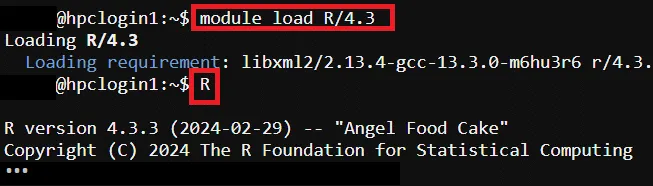
All new installed extra package will be located in /home/$USER/R/
How to Reset Customized R Environment as Default?
Section titled “How to Reset Customized R Environment as Default?”To reset the customized standard R environment as default, run below command in the SSH terminal (CLI), for tutorial in accessing CLI, please refer to Shell Access and Useful Command
# Reset User’s R Environment$ rm -rf /home/$USER/RFor more information about Python, please refer to: R Official Site