EdUHK HPC Web Interface (Portal) Features
The EdUHK HPC Portal mainly powered by Open-ondemand project and Slurm work load manager
Homepage
Section titled “Homepage”While user success login to the EdUHK HPC Portal, a home page will be shown on the browser, which contains the gateway for access the HPC features.
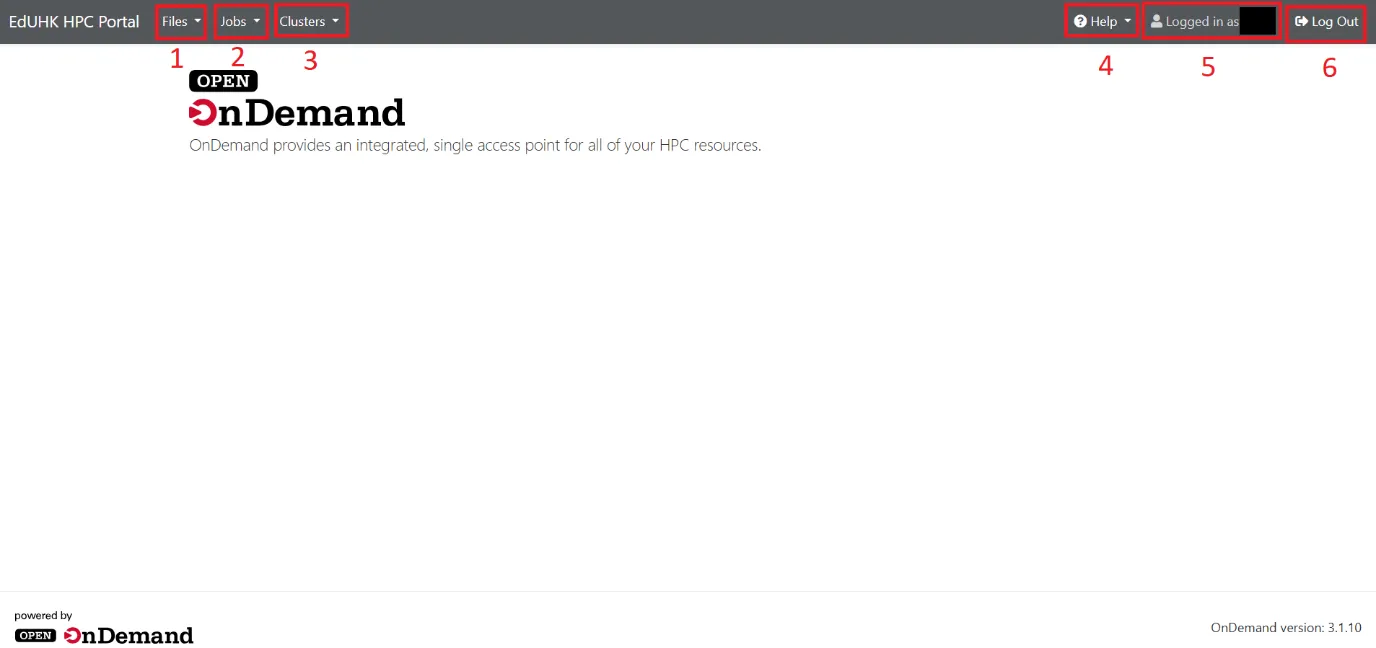
Main Components
- Flies – A file browser for manage and upload user’s files to HPC environment
- Jobs – Create and submit Slurm job to HPC servers
- Clusters – SSH connection to the HPC servers (Login Node only)
- Help – Restart the web server
- Login account information
- Logout button
Files is a file browser for manage and upload user’s files to HPC environment.
There are three types of file storage location set for user as default:
- Home
- Scratch
- Project Group Share Folder
File Browser
Section titled “File Browser”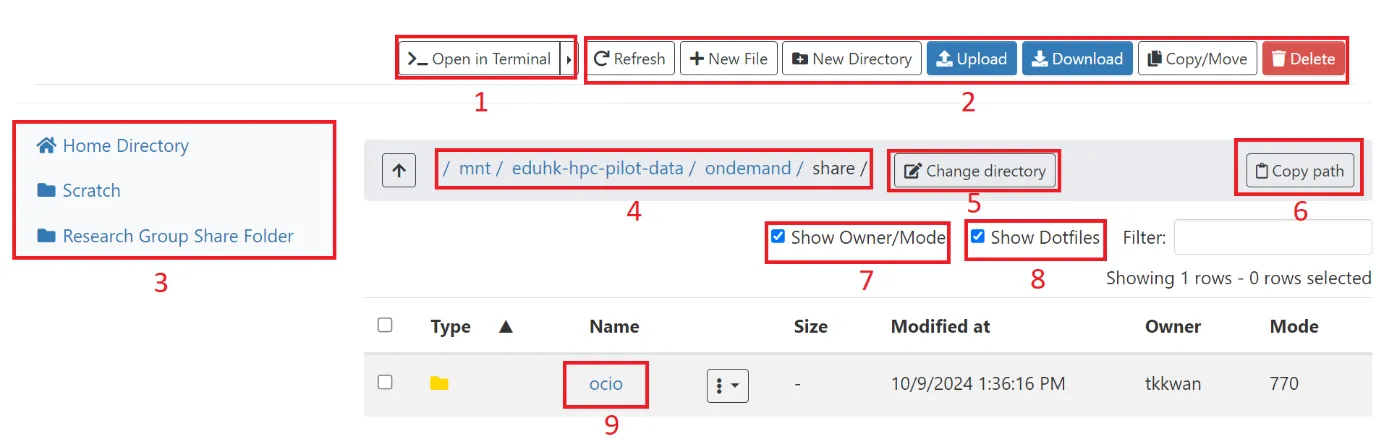
- Open the SSH terminal and auto locate to current directory path
- General file control (i.e. Refresh, New Files, Upload, Copy/Move…)
- Pinned path for the three types of storage location
- Current directory path
- Change directory by manual inputs
- Copy current directory path to clipboard
- Show file owner and corresponding file permission
- Show hidden files (file name started with dot)
- Folder for research group (under Project Group Share Folder)
Jobs is the main feature for the EdUHK HPC Portal, which allows users to create, submit and manage HPC computation job by web-interface. For details, please refer to HPC Job Template and HPC Job Submission