How to Login to EdUHK HPC Platform?
Login via Web Interface
Section titled “Login via Web Interface”To success login to EdUHK HPC site web interface, please follow the below steps:
- Open web-browser and access the url: https://hpclogin1.eduhk.hk
- The browser will be redirected to Microsoft Authentication page, input EdUHK email address (e.g. acb@eduhk.hk) and click “Next”
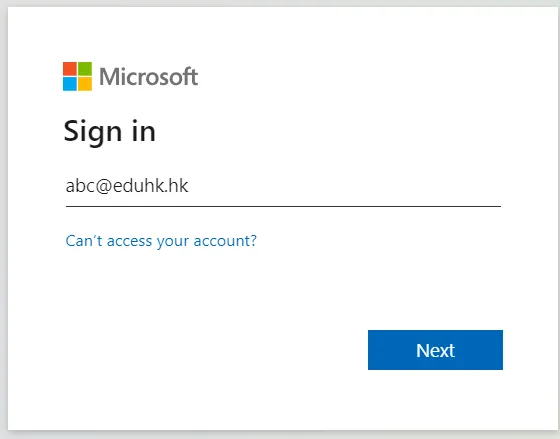
- Enter EdUHK account password and click “Sign in”
- Choose the method to verify user identity and follow the instruction to complete 2-factor authentication
Access via SSH
Section titled “Access via SSH”To access EdUHK HPC Login Node via SSH, please connect hpclogin1.eduhk.hk:22 by using your EdUHK Account ID and Password in your SSH client
Remarks: SSH access to EdUHK HPC Login Node only available for user client device which connected to campas wired network